
Home automation tips can transform any house into a connected, efficient living space. Smart devices now handle everything from lighting to security, but the sheer number of options often overwhelms first-time buyers. Where should someone start? Which purchases actually make daily life easier?
This guide breaks down practical home automation tips that work for beginners and experienced users alike. Readers will learn how to build a cohesive smart home system without wasting money on incompatible gadgets or overlooking critical security settings. Each section covers a specific strategy, from choosing the right hub to planning future expansions.
Table of Contents
ToggleKey Takeaways
- Choose one central hub or ecosystem early (Alexa, Google Home, HomeKit, or SmartThings) and stick with it to avoid compatibility headaches.
- Protect your smart home by changing default passwords, enabling two-factor authentication, and placing devices on a separate Wi-Fi network.
- Automate daily routines with scenes and triggers—start with one or two simple automations and refine them based on real habits.
- Prioritize energy-efficient devices like smart thermostats and lighting first, as they deliver the fastest return on investment.
- Expand your home automation gradually by solving real problems rather than buying gadgets just because they exist.
- Verify compatibility with your existing ecosystem and protocols before purchasing any new smart device.
Start With a Central Hub or Ecosystem
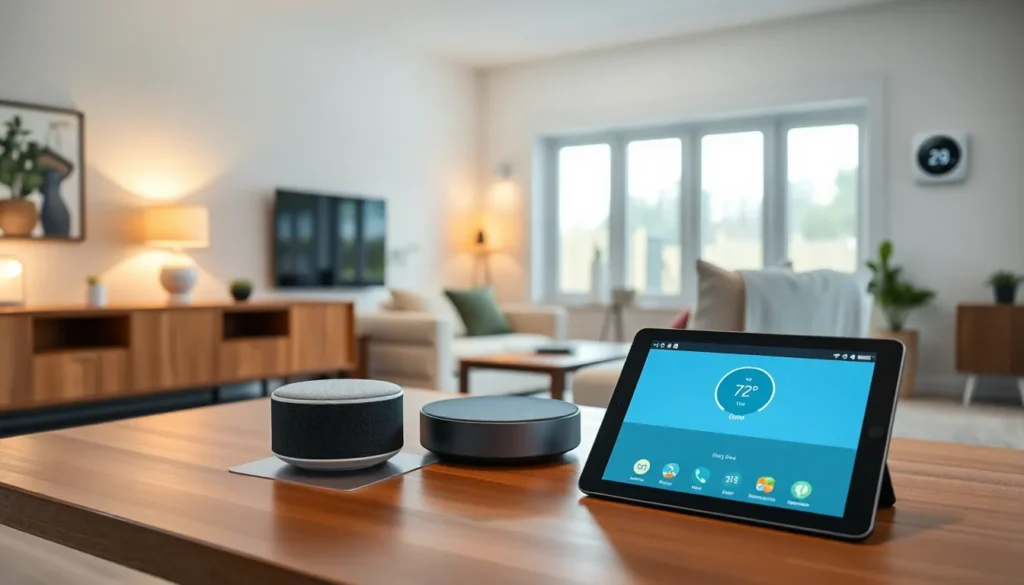
A central hub acts as the brain of any smart home setup. It connects devices from different manufacturers and allows them to work together. Without one, homeowners end up juggling multiple apps just to control their lights, thermostat, and doorbell.
Popular options include Amazon Alexa, Google Home, Apple HomeKit, and Samsung SmartThings. Each ecosystem has strengths. Alexa offers the widest device compatibility. HomeKit prioritizes privacy and security. Google Home excels at voice recognition and search integration. SmartThings works well with Samsung appliances and supports Z-Wave and Zigbee protocols.
Here’s the key home automation tip: pick one ecosystem early and stick with it. Switching later means replacing devices or dealing with clunky workarounds. Before buying anything, check whether it supports the chosen platform.
Some users prefer Matter-compatible devices. Matter is a newer standard that lets smart products communicate across different ecosystems. A Matter-certified light bulb works with Alexa, Google, and HomeKit simultaneously. This flexibility reduces lock-in concerns, though Matter adoption is still growing.
Start simple. A hub, two or three smart bulbs, and a voice assistant create a solid foundation. Add devices as needs become clear rather than buying everything at once.
Prioritize Security and Privacy Settings
Smart devices collect data. Cameras record footage. Voice assistants listen for wake words. Thermostats track occupancy patterns. This information can be valuable, to homeowners and to hackers.
Strong security habits protect both privacy and physical safety. These home automation tips address the most common vulnerabilities:
Change default passwords immediately. Many smart devices ship with generic credentials like “admin” or “1234.” Hackers know these defaults. Create unique, strong passwords for each device and the associated accounts.
Enable two-factor authentication. Most major platforms support 2FA. This adds an extra verification step during login, making unauthorized access much harder.
Keep firmware updated. Manufacturers release patches to fix security holes. Enable automatic updates when possible, or check for updates monthly.
Create a separate Wi-Fi network. Many routers allow guest networks. Placing smart devices on a dedicated network isolates them from computers and phones that store sensitive data. If a smart bulb gets compromised, the attacker can’t easily jump to a laptop.
Review app permissions. Some smart home apps request access to contacts, location, or microphone when they don’t need it. Grant only necessary permissions.
Research before buying. Not all manufacturers treat security seriously. Check reviews and look for companies with clear privacy policies and regular update histories. Cheap, no-name devices often lack ongoing support.
Automate Daily Routines With Smart Schedules
The real power of home automation shows up in routines. Instead of manually controlling each device, schedules and triggers handle repetitive tasks automatically.
Most hubs support “scenes” or “routines”, preset combinations that activate with a single command or trigger. Examples include:
- Morning routine: Lights turn on gradually at 6:30 AM. The coffee maker starts. The thermostat adjusts to a comfortable temperature.
- Leaving home: Saying “Goodbye” turns off all lights, locks the door, arms the security system, and lowers the thermostat.
- Movie night: One command dims the living room lights, closes smart blinds, and turns on the TV.
Time-based schedules work well for predictable activities. Motion sensors add flexibility. A hallway light that activates when someone walks past at night saves energy and provides safety without switches.
Home automation tips for effective routines: start with one or two automations. Test them for a week. Adjust timing and triggers based on actual habits. Overly complex setups often frustrate users and get abandoned.
Geofencing offers another useful trigger. The system detects when a phone enters or leaves a defined area. Lights can turn on automatically when someone arrives home after dark. The thermostat can enter away mode when everyone leaves.
Voice commands simplify control but shouldn’t be the only option. Guests and children may not know the right phrases. Physical switches and app controls provide backup access.
Focus on Energy Efficiency First
Smart home technology can lower utility bills significantly. Targeting energy-hungry systems first delivers the fastest return on investment.
Smart thermostats typically save 10-15% on heating and cooling costs. They learn occupancy patterns and adjust temperatures automatically. No more heating an empty house. Models like Nest, Ecobee, and Honeywell Home integrate with most ecosystems and provide detailed energy reports.
Smart lighting reduces electricity waste. LED bulbs already use less power than incandescent options. Adding smart controls ensures lights turn off in empty rooms. Schedules prevent lights from running all night accidentally.
Smart plugs monitor energy consumption of connected devices. They reveal which appliances draw power even when “off”, a problem called phantom load. Plugging a TV, game console, or computer into a smart power strip allows complete shutoff when not in use.
Smart blinds and shades reduce heating and cooling needs. Closing blinds during hot afternoons blocks solar heat gain. Opening them on cold sunny mornings lets warmth in naturally.
These home automation tips pay for themselves over time. A $200 smart thermostat that saves $15 monthly covers its cost in just over a year. Every month after that represents pure savings.
Energy dashboards, available through most hubs and utility companies, track consumption trends. Reviewing this data monthly helps identify waste and measure improvement.
Expand Gradually and Plan for Compatibility
Rushing to automate everything at once leads to frustration and wasted money. A gradual approach works better.
Start with devices that solve real problems. Constantly forgetting to turn off lights? Smart bulbs help. Worried about package theft? A video doorbell makes sense. Uncomfortable temperatures? A smart thermostat addresses that directly.
Avoid buying gadgets just because they exist. A smart toaster or connected water bottle rarely improves daily life. Focus spending on high-impact categories: lighting, climate control, security, and entertainment.
Compatibility matters more than individual features. Before purchasing any device, verify it works with the existing hub and other installed products. Check for:
- Supported ecosystems (Alexa, Google, HomeKit, SmartThings)
- Communication protocols (Wi-Fi, Zigbee, Z-Wave, Thread, Matter)
- Integration with current routines and automations
Reading user reviews reveals real-world compatibility issues that spec sheets miss. Someone running the same ecosystem often reports whether setup went smoothly.
Plan for future expansion. Buying a hub that supports Zigbee and Z-Wave provides more options later. Choosing Matter-compatible devices adds flexibility across ecosystems.
These home automation tips prevent the common mistake of building a fragmented system. A cohesive setup with ten well-integrated devices outperforms thirty gadgets that barely talk to each other.