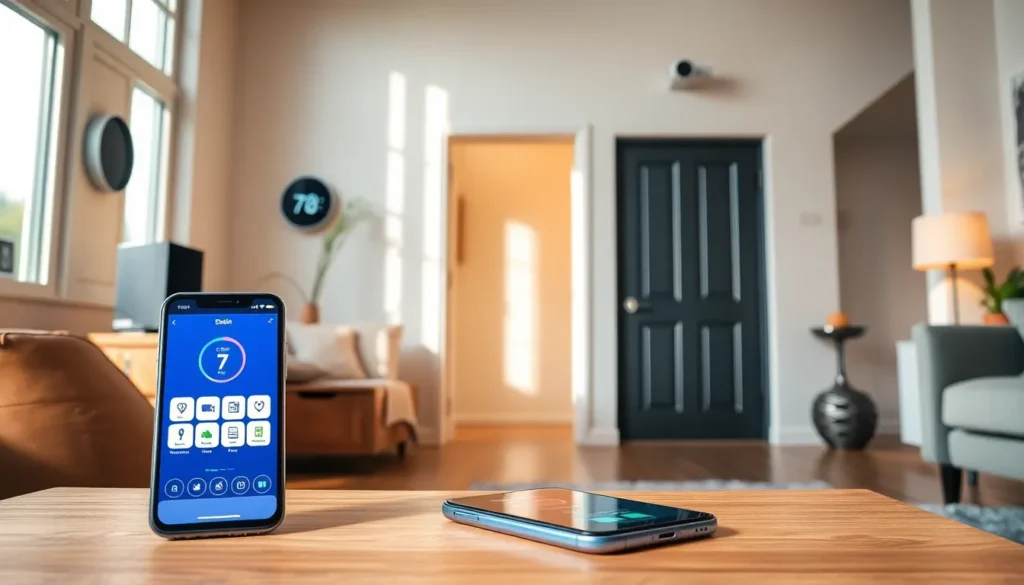

Home automation techniques have changed how people interact with their living spaces. A home that adjusts lighting, locks doors, and manages temperature without manual input isn’t science fiction anymore, it’s accessible to nearly anyone with a smartphone and a Wi-Fi connection. Whether someone wants to save on energy bills, improve security, or simply enjoy the convenience of voice-controlled devices, there’s a solution available. This guide covers the core home automation techniques that matter most, from smart assistants to security systems, and helps readers choose the right setup for their needs.
Table of Contents
ToggleKey Takeaways
- Home automation techniques rely on three core components: smart devices, a hub or controller, and connectivity protocols like Wi-Fi or Zigbee.
- Voice assistants such as Alexa, Google Assistant, and Siri allow hands-free control of multiple devices through simple spoken commands.
- Smart thermostats can save homeowners approximately 10% annually on heating and cooling costs when used correctly.
- Smart security systems integrate cameras, locks, and sensors to provide real-time monitoring and instant alerts from your smartphone.
- Start small with home automation—a smart plug and voice assistant can cost under $50 and let you test the system before expanding.
- Choose a platform based on device compatibility, ease of use, privacy preferences, and budget to build a system that fits your lifestyle.
Understanding the Basics of Home Automation
Home automation refers to the automatic control of household systems and devices. These include lighting, heating, cooling, security cameras, and appliances. The goal is simple: make daily tasks easier and more efficient.
At its core, home automation relies on three components:
- Smart devices: These are the physical products, thermostats, light bulbs, locks, cameras, and sensors.
- A hub or controller: This central unit connects devices and allows them to communicate. Some systems use a dedicated hub, while others operate through a smartphone app or voice assistant.
- Connectivity: Wi-Fi, Bluetooth, Zigbee, and Z-Wave are common protocols that let devices talk to each other and to users.
Home automation techniques range from basic to advanced. A beginner might start with a single smart plug that controls a lamp remotely. A more advanced setup could include motion sensors that trigger lights, a thermostat that learns usage patterns, and cameras that send alerts when movement is detected.
The beauty of modern home automation is its modularity. Homeowners don’t need to overhaul their entire house at once. They can add devices gradually, building a system that fits their budget and lifestyle.
Voice Control and Smart Assistants
Voice control has become one of the most popular home automation techniques. Smart assistants like Amazon Alexa, Google Assistant, and Apple Siri allow users to control devices with spoken commands.
Here’s how it works: a user speaks a command (“Turn off the living room lights”), the smart assistant processes it, and the connected device responds. No buttons, no apps, just voice.
Smart assistants do more than control lights. They can:
- Play music and podcasts
- Set timers and reminders
- Provide weather updates and news
- Control multiple devices with a single routine (e.g., “Good night” dims lights, locks doors, and lowers the thermostat)
Compatibility matters here. Before purchasing a smart assistant, users should check which devices it supports. Most major brands work with Alexa and Google Assistant, but Apple HomeKit has a smaller, though growing, ecosystem.
Privacy is a common concern with voice assistants. These devices listen for wake words, which means they’re always on in some capacity. Users can review and delete voice recordings through their assistant’s app. Those who prefer more control can mute the microphone when not in use.
Voice control adds convenience, but it’s not required for home automation. Many people prefer app-based control or automated schedules instead.
Automated Lighting and Climate Control
Lighting and climate control are two of the most impactful home automation techniques. They affect comfort, energy consumption, and even mood.
Smart Lighting
Smart bulbs and switches let users control lights remotely, set schedules, and adjust brightness or color. Popular options include Philips Hue, LIFX, and Wyze bulbs.
Common uses for smart lighting include:
- Schedules: Lights turn on at sunset and off at bedtime automatically.
- Motion activation: Lights in hallways or bathrooms turn on when someone enters.
- Scenes: A “movie night” scene dims lights to 20% with a warm color tone.
Smart lighting can also improve security. Lights that turn on and off while homeowners are away create the appearance of an occupied home.
Climate Control
Smart thermostats like Nest, Ecobee, and Honeywell Home learn user preferences over time. They adjust heating and cooling based on occupancy, weather, and schedules.
The energy savings are real. The U.S. Department of Energy estimates that programmable thermostats can save homeowners about 10% annually on heating and cooling costs when used correctly.
Smart thermostats also integrate with other devices. For example, a window sensor can signal the thermostat to stop cooling if a window is left open. That kind of automation prevents wasted energy and money.
Security and Monitoring Systems
Security is a major driver of home automation adoption. Smart security systems offer real-time monitoring, remote access, and instant alerts, features that traditional systems often lack.
Smart Cameras
Wi-Fi cameras from brands like Ring, Arlo, and Nest provide live video feeds accessible from a smartphone. Many include features like motion detection, night vision, and two-way audio.
Some cameras offer local storage, while others require a cloud subscription for video history. Users should consider ongoing costs when choosing a camera system.
Smart Locks
Smart locks eliminate the need for physical keys. Users can unlock doors with a code, smartphone app, or voice command. Popular models include August, Schlage Encode, and Yale Assure.
These locks also provide access logs, showing who entered and when. That’s useful for families with children or for managing access for housekeepers and guests.
Sensors and Alarms
Door and window sensors detect when an entry point opens. Water leak sensors alert homeowners to potential flooding. Smoke and carbon monoxide detectors can send smartphone notifications plus to sounding an alarm.
Home automation techniques for security work best when integrated. A motion sensor can trigger a camera to start recording, turn on lights, and send an alert, all within seconds.
Choosing the Right Automation Platform
With so many options available, choosing the right platform for home automation can feel overwhelming. The key is to match the platform to current needs while leaving room for future expansion.
Major Platforms
- Amazon Alexa: Wide device compatibility, affordable Echo speakers, and strong third-party support.
- Google Home: Excellent voice recognition, deep integration with Google services, and a growing device ecosystem.
- Apple HomeKit: Strong privacy focus, seamless integration with Apple devices, but a smaller selection of compatible products.
- Samsung SmartThings: Works with a huge range of devices and supports both Zigbee and Z-Wave protocols.
Factors to Consider
Compatibility: Check whether existing devices work with the platform. Switching ecosystems later can be expensive.
Ease of use: Some platforms offer simpler setup processes than others. Google Home and Alexa tend to be beginner-friendly.
Privacy: Apple HomeKit processes more data locally, while Alexa and Google rely more heavily on cloud processing.
Budget: Entry-level home automation techniques don’t require much investment. A smart plug and a voice assistant can cost under $50 total.
Start small. A single smart speaker and a few compatible devices let users test the waters before committing to a full system.